Toddly: worth it for a cheerful Elementor childcare site
- Preschools and kindergartens
- Daycare and childcare businesses
- Freelancers building Elementor sites
- Small children’s education brands
- You want a lightweight block theme
- You dislike Elementor dependencies
- You need advanced school management features
- You expect polished documentation
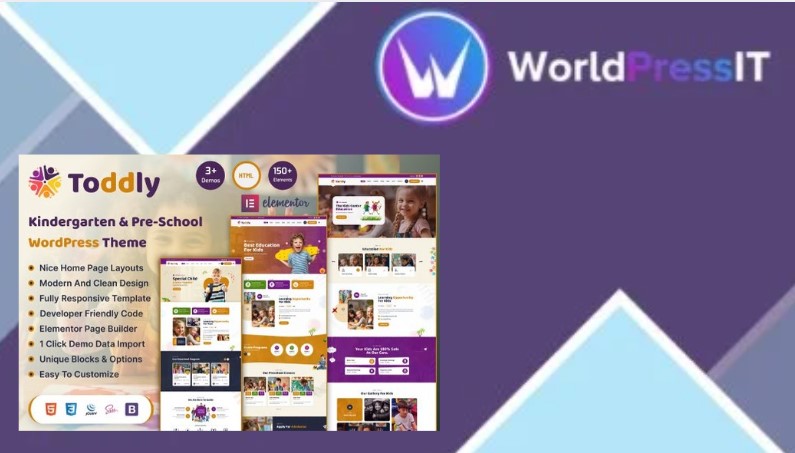
Toddly is a visual shortcut, not a complete childcare website system. It gives you a bright, playful design aimed at kindergartens, preschools, daycare centers, babysitting businesses, and children’s shops. The theme is built around Elementor, includes header and footer editing, offers WooCommerce compatibility, supports Contact Form 7, and includes a child theme for code customizations. If your main goal is to get a friendly-looking childcare site online without designing every page from scratch, that focus is useful.
The strongest part is the amount of ready-made design work. The product advertises 9 or more homepage layouts, dedicated inner pages, blog templates, team-member sections, page-level metabox options, custom colors and fonts, and Elementor-based header and footer presets. That makes Toddly more practical than starting with a generic multipurpose theme such as Astra or GeneratePress, where you would need to assemble much of the visual identity yourself. It is also more immediately specialized than Hello Elementor, which is deliberately bare and relies on templates or an Elementor kit to provide the actual design.
The theme also has a sensible technical foundation for a small brochure site. It uses Bootstrap 5 styling, includes a child theme, is responsive, and has received several updates since its September 2025 launch. WooCommerce support was added in September 2025, with further WooCommerce changes listed in later updates. That makes it viable for selling books, toys, clothing, or simple school merchandise. However, WooCommerce support should not be mistaken for a built-in enrollment, attendance, timetable, parent portal, or class-management system. Those requirements will need separate plugins and configuration.
Where Toddly is weak
The setup experience is less polished than the marketing suggests. The official documentation still refers to the install file as luxrio.zip in multiple places, even though the product is Toddly. That is a small error, but it signals that the documentation was adapted from another theme rather than carefully maintained. The same documentation says the theme ZIP is about 10 MB and recommends increasing upload limits; a buyer report also received a 503 error during demo import and was told to raise memory to 512 MB, execution times to 600 seconds, and several upload and input limits to 64 MB or higher.
Demo importing is therefore a genuine risk, especially on budget hosting. The documentation recommends importing on a fresh site, warns that most demo images are replaced with placeholders, and requires saving permalinks afterward. You should treat the demo as a starting point, not a one-click finished website. Expect to replace imagery, edit Elementor content, check mobile spacing, and potentially ask the developer for hosting-related help.
Compared with Kadence or Blocksy, Toddly offers a much more specific children’s aesthetic but less flexibility outside that niche. Compared with a mature theme such as Astra, it has a smaller public track record and fewer independent user discussions. Its six public marketplace comments include praise, but also a concrete report of demo-import failure, so there is not enough evidence to call the support experience proven.
Verdict: buy Toddly when the colorful preschool look is exactly what you need and the site is relatively simple. Skip it for a performance-first build, a block-editor workflow, or any project where documentation quality and long-term ecosystem depth matter more than getting a cheerful design quickly.
Questions people ask
- Does Toddly require Elementor?
- Toddly is designed around Elementor for page layouts, headers, and footers. You should plan on using Elementor rather than treating it as a conventional block-first theme.
- Can Toddly sell products with WooCommerce?
- Yes. The marketplace listing identifies WooCommerce compatibility, and later updates specifically mention WooCommerce changes. It can support a shop, but it does not provide school enrollment or parent-management features by itself.
- Why might Toddly demo import fail?
- The documentation says the theme ZIP is about 10 MB, and a marketplace support reply recommends high server limits after a 503 import error, including 512 MB memory and 600-second execution times. Shared hosting may need configuration before the importer works reliably.
- Is Toddly suitable for a daycare website?
- Yes, particularly for a brochure-style daycare or preschool site with pages for services, staff, activities, contact details, and blog posts. You will need separate plugins for bookings, applications, payments, or parent portals.
- Is Toddly better than Astra for a kindergarten website?
- Toddly is faster if you want a ready-made kindergarten aesthetic and Elementor layouts. Astra is the safer long-term choice if you value a larger ecosystem, broader documentation, and more freedom to change the site’s design later.
Get Toddly: worth it for a cheerful Elementor childcare site 1.1.0
Complete package, ready to install, via WorldPressIT.