Meta Box AIO: worth it for serious dynamic WordPress builds
- WordPress agencies
- custom post type developers
- directory and membership sites
- content-heavy websites
- developers who want one bundled plugin
- you only need a few custom fields
- you prefer a minimal plugin stack
- your team already standardizes on ACF
- you are uncomfortable troubleshooting plugin conflicts
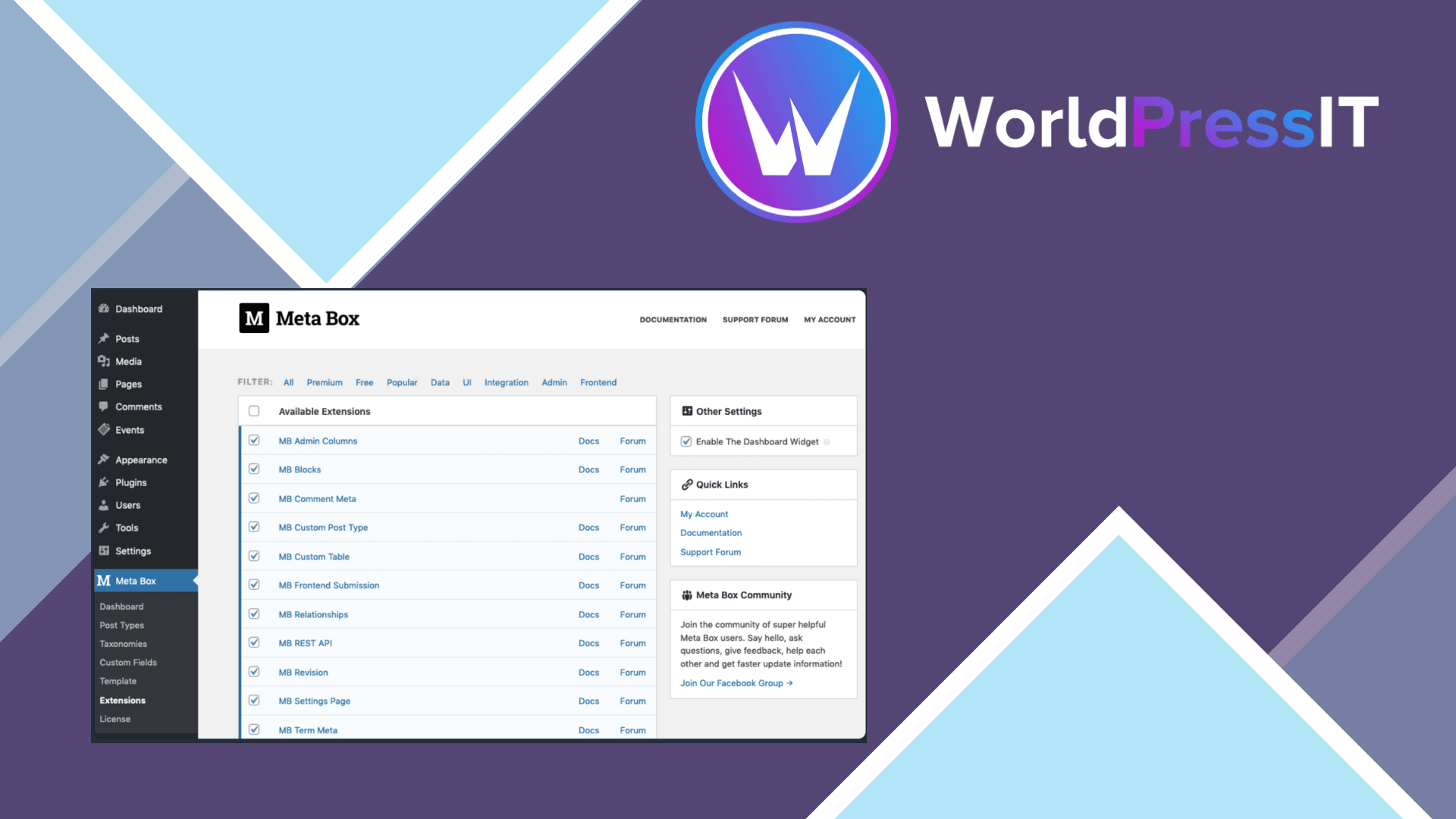
Meta Box AIO is a bundle for building structured WordPress websites. It packages the Meta Box framework with the developer’s free and premium extensions, so one plugin can provide custom fields, custom post types, relationships, frontend submissions, settings pages, custom tables, views, blocks, migration tools, and integrations. The practical appeal is obvious: instead of installing and maintaining a long list of separate add-ons, you enable the modules you need from Meta Box → Extensions.
The strongest reason to choose it is breadth. A serious directory, membership site, property portal, marketplace, or editorial platform can require far more than basic post metadata. Meta Box AIO can handle fields attached to posts, users, terms, settings pages, and comments, while extensions such as MB Relationships and MB Custom Table cover more advanced data models. The included tools can also remove orphaned fields, change field keys without losing stored data, and change post types. Those are useful capabilities when a site evolves over years rather than being assembled once and forgotten.
It is also unusually friendly to developers who prefer code. The documentation covers field registration, displaying values, validation, sanitization, filters, actions, database storage, REST API use, and Composer installation. The plugin is not limited to a visual builder: you can create field groups in the interface or define them in code. That makes it a better fit than purely visual systems when a team needs repeatable deployments, custom integrations, or a controlled development workflow.
The catch is that AIO gives you a large toolbox, not a perfectly simple experience. The settings page can expose a substantial list of extensions, and integrations may behave differently depending on whether the related plugin is installed. One support case describes extensions for Beaver Builder, Elementor, FacetWP, and Yoast that could not be switched off until the stored AIO option was reset in the database. That is not a deal-breaker for an agency, but it is exactly the kind of maintenance detail that frustrates less technical site owners.
There have also been compatibility problems worth taking seriously. A reported AIO update caused a fatal error on the frontend involving get_current_screen(), while other support threads describe field groups, tabs, or forms behaving incorrectly after upgrades. The developer resolved these cases, but the incidents reinforce the need for staging backups and controlled updates. Meta Box’s own documentation recommends PHP 7.4 or newer and the latest WordPress version.
Compared with ACF Pro, Meta Box AIO offers a broader extension catalogue and stronger built-in options for relationships, frontend submissions, custom tables, and visual tooling, but ACF often has the more familiar ecosystem and simpler learning curve. Pods is a convincing free alternative for custom content, although Meta Box provides a more polished premium path and deeper extension range. Toolset can deliver similar no-code site-building features, while JetEngine is more attractive if your site already revolves around Crocoblock and Elementor.
The bottom line is clear: Meta Box AIO is worth it when you will use several advanced modules or maintain multiple custom WordPress builds. For a site that only needs basic custom fields, start with Meta Box Lite, ACF, or Pods instead of paying for a bundle whose biggest advantage you will not use.
Questions people ask
- What does Meta Box AIO include?
- It includes the Meta Box framework plus the free and premium Meta Box extensions, including tools for custom fields, post types, relationships, frontend forms, settings pages, custom tables, views, and integrations.
- Do I need to install the individual Meta Box extensions?
- No. Meta Box AIO contains the extensions and lets you enable or disable them from Meta Box → Extensions. If an extension is also installed separately, the individual plugin takes priority.
- Is Meta Box AIO better than ACF Pro?
- It is better suited to projects needing a wide range of advanced modules such as relationships, frontend submissions, and custom tables. ACF Pro is usually easier to adopt when you only need custom fields and want the most familiar ecosystem.
- Is Meta Box AIO suitable for beginners?
- Only partly. The visual tools are approachable, but the full bundle exposes many settings and advanced features, and troubleshooting integrations or update conflicts may require WordPress development experience.
- Can Meta Box AIO replace Meta Box Lite?
- Yes. AIO includes the Meta Box framework and the free extensions, so you do not need Meta Box Lite or a separate Meta Box plugin alongside it.
Get Meta Box AIO: worth it for serious dynamic WordPress builds 3.11.0
Complete package, ready to install, via WorldPressIT.